Control Adobe Premiere Pro with Claude or Codex
BuzzRolls Studio is a Premiere Pro MCP server and native plugin that lets MCP-aware AI agents drive your timeline directly.
A native bridge for agent-driven editing.
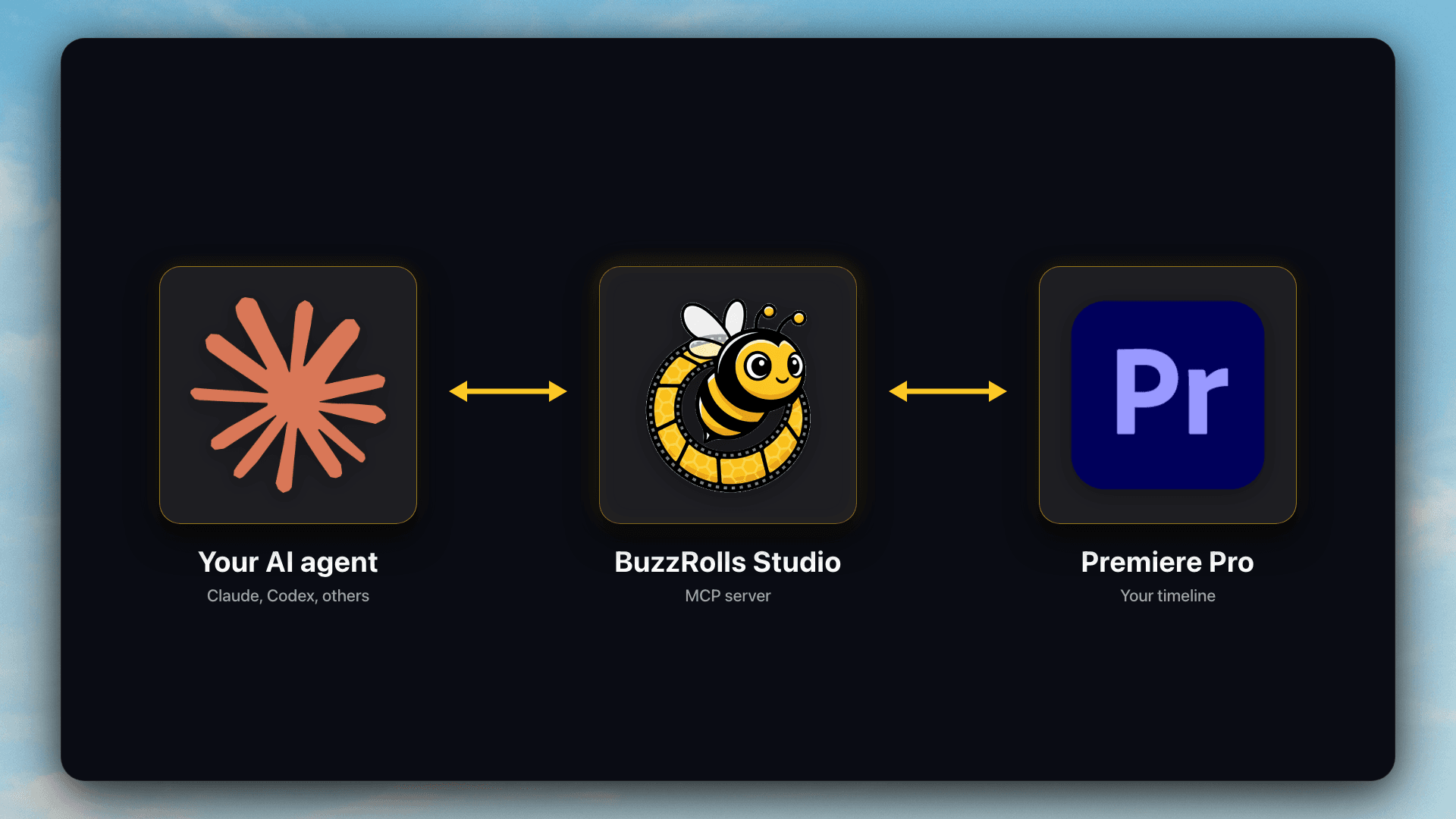
BuzzRolls Studio lets Claude, Codex, or any MCP-aware client talk to Adobe Premiere Pro through MCP. The agent gets structured tools instead of screen scraping, and you keep working in the Premiere Pro project you already have open.
Use it when you want an AI agent to help with transcript-based edits, timeline cleanup, clip placement, effects, transitions, bins, and other native Premiere Pro tasks.
Built for Premiere Pro MCP searches
If you are looking for a Premiere Pro MCP server, Adobe Premiere Pro MCP plugin, Claude Premiere Pro connector, or Codex Premiere Pro workflow, BuzzRolls Studio is the connector layer.
Expose Premiere Pro as MCP tools
BuzzRolls Studio connects a remote MCP server to a native Premiere Pro plugin, then exposes timeline actions your agent can call.
Work in the timeline you already use
Your project stays in Premiere Pro. The agent can reason about your timeline, transcripts, media, bins, and editing instructions.
Add purpose-built creative tools
BuzzRolls B-roll and BuzzRolls Sketch are optional Studio tools for stock footage insertion and generated sketch-style b-roll.
Set up a Premiere Pro MCP workflow
Setup is designed to be agent-led. Paste one prompt and let the agent walk through the MCP and Premiere Pro plugin setup.
- 1
Start BuzzRolls Studio early access.
- 2
Install the BuzzRolls Studio Premiere Pro plugin.
- 3
Add the remote MCP server to Claude, Codex, or another MCP-aware client.
- 4
Open your Premiere Pro project and ask the agent to inspect or edit the timeline.
FAQ
What is a Premiere Pro MCP server?
A Premiere Pro MCP server exposes Premiere Pro editing actions as tools that an AI agent can call. BuzzRolls Studio pairs that server with a native Premiere Pro plugin.
Can Claude control Adobe Premiere Pro?
Yes. BuzzRolls Studio lets Claude connect to Adobe Premiere Pro through MCP and use native tools inside your open Premiere Pro project.
Can Codex edit a Premiere Pro timeline?
Yes. BuzzRolls Studio gives Codex MCP tools for Premiere Pro so it can help inspect, organize, and edit the timeline based on your instructions.
Does BuzzRolls Studio replace Premiere Pro?
No. BuzzRolls Studio is a connector between your AI agent and Premiere Pro. Premiere Pro remains the editor and your project stays in Premiere.
Give your AI agent native Premiere Pro tools.
BuzzRolls Studio is in early access. Start with Studio, then add B-roll or Sketch when your edit needs extra creative tools.
Get Early Access · $19/mo