BuzzRolls Studio
Connect your AI agent to Premiere Pro. Let Claude, Codex, or any MCP-aware agent drive your timeline directly.
Expect bugs. Help shape the product. Cancel anytime.
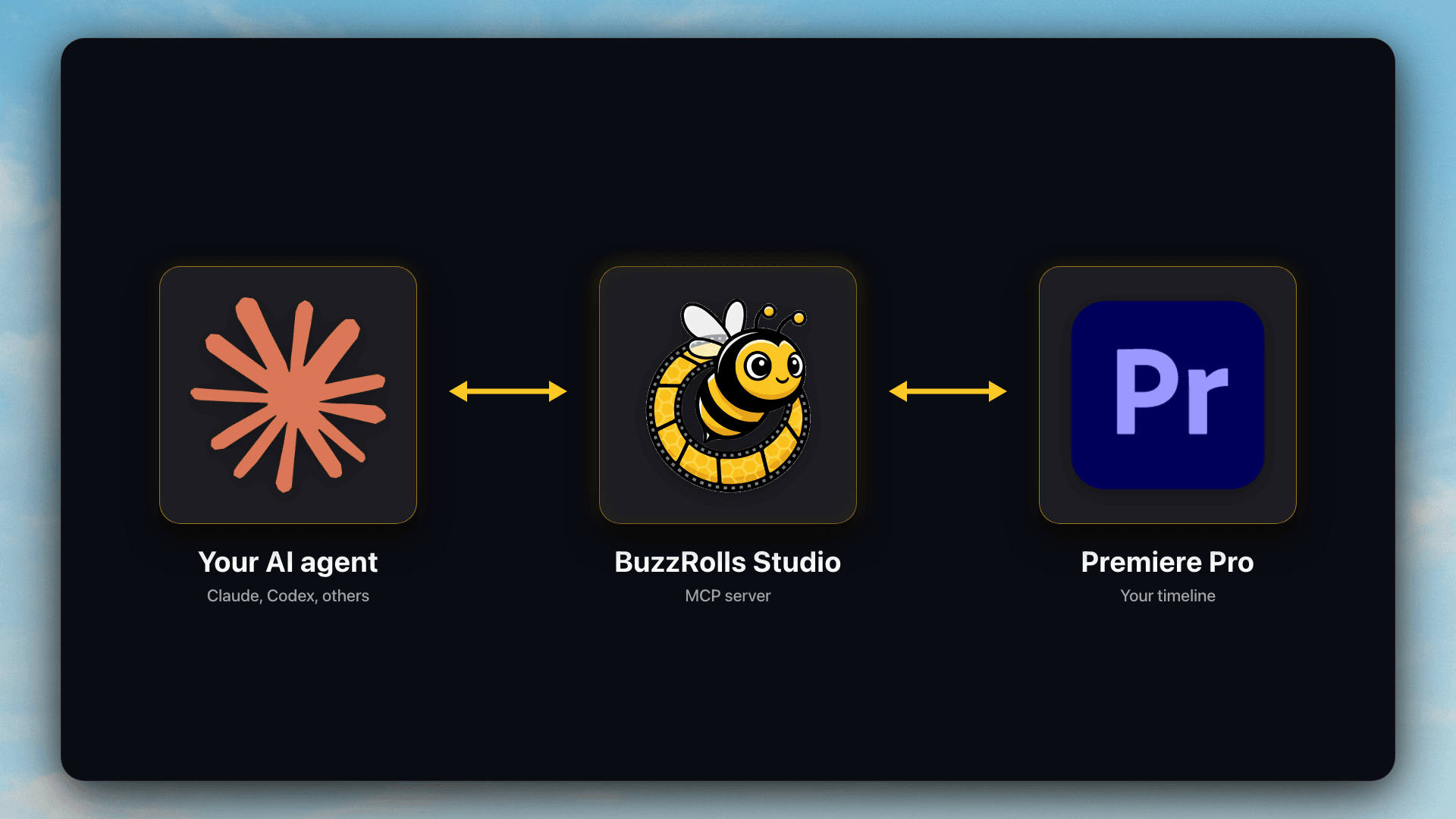
How it works
Your agent talks to Studio. Studio talks to Premiere. You watch it happen.
Setup is easy.
Copy one prompt. Paste it into your AI agent. The agent handles the rest.
Open your AI agent
Claude Desktop, Claude Code, or Codex. Whichever you use.
Paste the setup prompt
One block of text that tells the agent exactly what to do.
Let it drive
The agent installs, configures, and verifies everything.
Don't have an AI Agent yet? Use the Claude Desktop app.
We recommend the Claude Desktop app. It is user-friendly and you never have to look at code. Download it, paste our setup prompt, and Claude takes care of everything.
Your agent can request new features for you.
Studio ships with a built-in submit_feature_request tool. If you ask your agent to do something Studio can't do yet, it can send the request to us automatically. Don't be surprised if we ship that capability within the week.
You: Can you synchronize the audio of these two clips?
Agent: Studio doesn't support audio synchronization yet. Want me to request it from the BuzzRolls team?
You: Yes please.
Agent: Request sent. They'll see it today.
Expect rough edges.
Studio is live, useful, and moving fast. It will also break sometimes, miss things, and surprise you. We're shipping updates weekly. Your feedback shapes what comes next.
What it can do today
- •Edit talking-head A-roll from the transcript
- •Add transitions based on your rules
- •Apply layered video effects with keyframes
- •Organize your bins and find media on your computer
What it can't do yet
- •Produce great results without clear guidance from you
- •Reach every Premiere Pro feature
- •Watch video. It works from metadata, transcripts, and individual frames
- •Replace human taste
We add features continuously. Early Access subscribers get everything we ship, as we ship it.
Pricing
One plan. Early Access pricing. Cancel in one click.
Studio (Early Access)
Early AccessFull access to the BuzzRolls Studio MCP while we build.
$19/month
Included:
- Edit talking-head A-roll directly from the transcript
- Apply keyframed video effects with easing (scale, position, opacity, rotation)
- Add transitions: cross dissolve, dip, film dissolve, push, slide, wipe, iris, and more
- Rearrange, split, trim, and ripple-edit clips on the timeline
- Inspect timeline state and export frames for your agent to analyze
- Works with any MCP-aware AI agent, including Claude Desktop, Claude Code, and Codex
- New tools ship continuously, and feedback drives the roadmap
Early Access pricing. No free trial. You're supporting active development while getting full access to everything we ship.

Frequently Asked
Join Early Access
Be among the first editors to let their AI agent drive Premiere Pro. Help us build the product you want.
Get Early Access · $19/moCancel in one click. Expect bugs.